Create a leaderboard
Use a leaderboard to encourage competition between groups, such as classrooms or teams. When a leaderboard is created (and not flagged as private), donors can select a pop-up on the campaign’s landing page and indicate the group they’re donating on behalf of (who receives the “credit”).
Note: If you hide a leaderboard from the public’s view, administrators can still view it on the main campaign page.
-
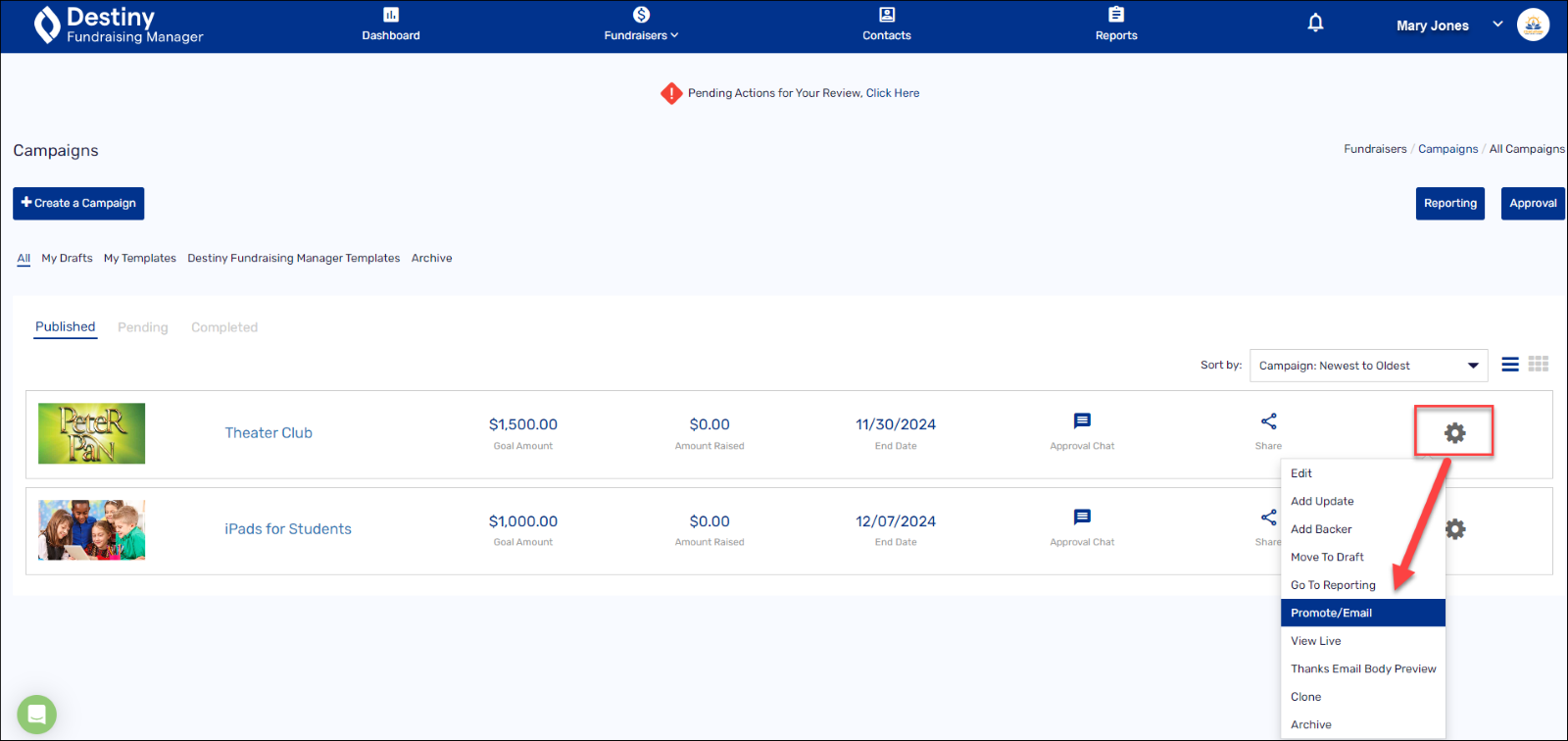
In the header, select Fundraisers > Campaigns. The Campaigns page appears.
- For a particular campaign, select the gear icon > Promote/Email.
- On the pop-up, find Encourage Competition with a Leaderboard, and click Click Here to Manage.
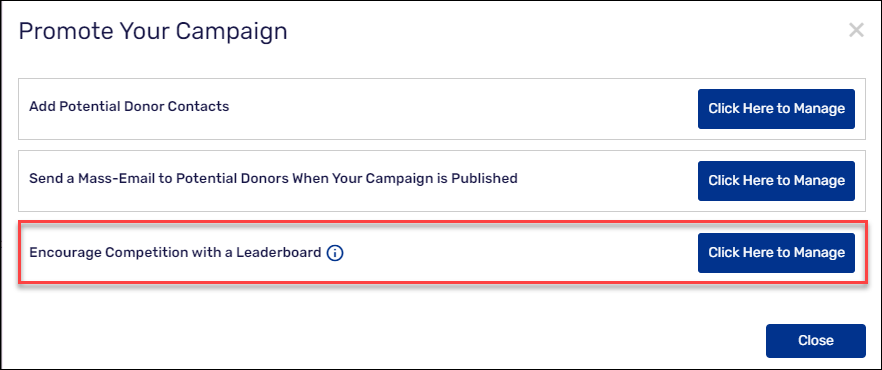
A pop-up appears.

-
At Enter group names to add, type the name of a group, and then click +Add. Repeat until you have entered all the groups who will compete.
-
If you don’t want the leaderboard to appear on the campaign’s landing page for everyone to see, select Hide the campaign page leaderboard from the public.
-
Click Save.
For additional help, contact techsupport@follettsoftware.com.